
InShare - Share Apps & File Transfer for PC
Share Apps & Transfer files at the FASTEST speed, FREE & 0 data usage!
- Rated
- Everyone
- Developer
- InShot Inc.
- Installs
- 114M+
- Size
- 12.5 MB
What's new
| Version | 2.1.1.1 |
|---|---|
| Size | 12.5 MB |
| What's new | ⭐️ Crash fixs and performance improvement⭐️ Compatible with Android 14.0Email us: [email protected] |
About InShare - Share Apps & File Transfer for PC
InShare - Share Apps & File Transfer: Fast, Efficient, and User-Friendly
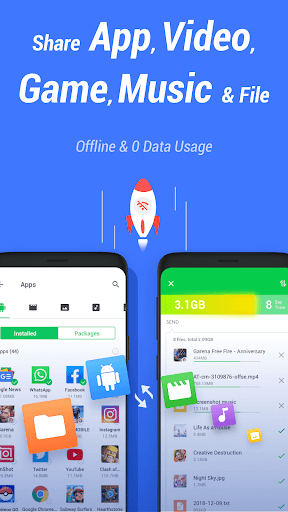
InShare - Share Apps & File Transfer is an exceptional app designed to make transferring files between devices smooth and quick. It stands out in the realm of file sharing apps with its impressive transfer speeds and ease of use. Whether you are sending files from a phone to another device or from a phone to a PC, InShare gets the job done with minimal hassle.
Lightning-Fast Transfer Speeds
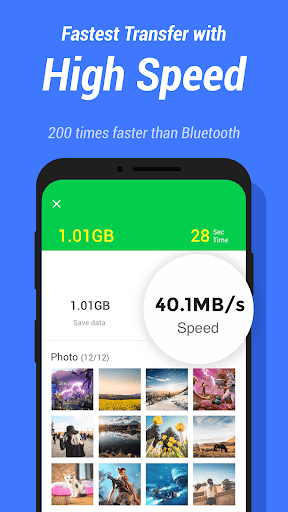
InShare is notable for its rapid file transfer speeds. Users have reported achieving speeds of up to 20 MBps when transferring from older versions of the app to newer ones or vice versa. This swift performance is a major benefit for those who need to transfer large files quickly. Whether it's a video, photo, or any other type of file, InShare transfers them in minutes, making it a favorite for many.
Wireless Transfer Without WiFi
One of the key features of InShare is its ability to transfer files wirelessly without relying on WiFi. This is extremely convenient for users who might not have access to a WiFi network but still need to move files between devices. Simply follow a few easy steps to set up the transfer, and you'll be shifting files at impressive speeds without tapping into your internet data.
Seamless Device Connectivity
Connecting your devices is a breeze with InShare. The application allows for an easy and quick connection, minimizing the time it takes to start transferring your files. Even if there are minor connection issues, users find that the overall connectivity remains reliable enough to ensure smooth transfers.
Web Interface and PC Compatibility
InShare isn't just limited to mobile devices. The app features a web interface that doesn't require installation on a PC, making it extremely flexible for those who want to transfer files to and from their computers. This is particularly helpful for users who are not tech-savvy and prefer straightforward, easy-to-use tools.
Hotspot Functionality
Another point of note is the app's ability to create a hotspot, connecting the phone to a PC effortlessly. This bypasses the need for USB connections and makes the entire process wireless. However, users have pointed out that it would be more convenient if the app maintained default personal hotspot settings to avoid frequent reconnections.
User-Friendly and Feature-Rich
InShare shines in its user-friendly interface and a host of features that make file transfers seamless. You can minimize the app and continue using your device without interruption. Users have also highlighted the app's capability to transfer entire folders to a PC, making the process of moving multiple files much simpler.
Minor Drawbacks and Suggestions
As with any software, InShare has a few areas for improvement. Some users have noted a decrease in transfer speed when moving files from a phone to another device. Others have mentioned that the app requires a high RAM, making it less efficient on devices with lower memory. A recurring suggestion is the inclusion of a feature that allows users to set their own profile picture.
Considering these points, it is clear that the strengths of InShare far outweigh any minor drawbacks. Its robust set of features, impressive speed, and ease of use make it a top choice for anyone needing to share files quickly and effortlessly between devices.
Download InShare today and experience the ease and efficiency of fast, wireless file transfers!