
SHAREall: Transfer & Share (No Internet Required) for PC
Share Video, Image, Apps, Games to any Android Phone OFFLINE in just few seconds
- Rated
- Everyone
- Developer
- Quantum4u
- Installs
- 35M+
- Google Play
- 4.4 (12.3K)
- Size
- 41.1 MB
What's new
| Version | 1.1.200 |
|---|---|
| Size | 41.1 MB |
| What's new | Minor bug fixes and improvements. Install or update to the newest version to check it out! |
About SHAREall: Transfer & Share (No Internet Required) for PC
SHAREall: Transfer & Share (No Internet Required)
In today’s fast-paced digital age, the ability to share files quickly and efficiently is essential. SHAREall: Transfer & Share (No Internet Required) steps in as a powerful tool that enables seamless file sharing without the need for an internet connection. Whether you're transferring photos, videos, apps, or documents, SHAREall aims to make sharing convenient and fast.
Convenient File Sharing
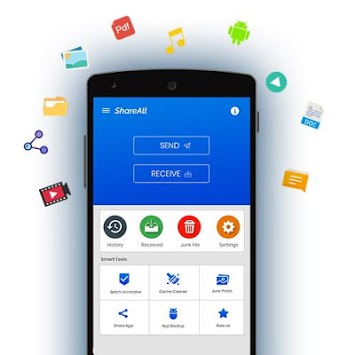
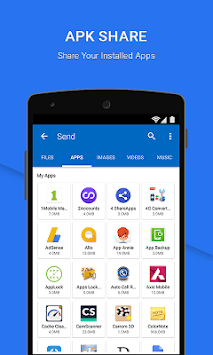
SHAREall makes it remarkably easy to send and receive files. You can share movies, data files, and even apps without any hassle. The app is user-friendly, ensuring that even those who are not tech-savvy can navigate it with ease. With just a few taps, you can quickly share whatever you need with friends, family, or colleagues.
Low-Resource Consumption
One of the standout features of SHAREall is its efficient use of system resources. The app consumes low internet data and memory, making it a preferable choice over other file-sharing options. This means your device can run smoothly without the app significantly impacting its performance.
Compatibility Across Devices
SHAREall is designed to work seamlessly with both Android and iOS devices, ensuring that file transfers can be done rapidly across different platforms. It promises a quick and efficient experience, compatible with various operating systems, making it a versatile tool for all your sharing needs.
Room for Improvement
Although SHAREall provides a useful service, there are areas for growth. For instance, connecting to laptops and Windows operating systems is an area where users are looking for improvements. Additionally, an option to save files on external storage would enhance the user experience further. The app would also benefit from addressing some connection issues and enhancing sharing speeds to be more competitive.
Security Features
Another potential enhancement suggested for SHAREall is the introduction of a password-protected vault. This feature would allow users to keep sensitive photos and videos securely within the app, offering peace of mind and an added layer of security.
Market Positioning
Market positioning is key to SHAREall’s growth. Promoting it as a robust alternative to other popular file-sharing apps can attract more users. The app can benefit from improved marketing strategies to ensure users download the correct version from the app store, avoiding confusion with similar-sounding apps.
Community Support
Being an Indian-made app, SHAREall enjoys a unique position of being able to count on community support. Encouraging users to support local apps can help it gain a more substantial user base. Every download and recommendation can significantly boost its popularity and utility.
Future Enhancements
While SHAREall already offers a range of useful features, developers are encouraged to continue updating the app to solve existing issues and implement new functionalities. User feedback is invaluable in guiding these updates, ensuring SHAREall remains relevant and efficient in meeting user needs.
In summary, SHAREall: Transfer & Share (No Internet Required) is a handy tool for anyone needing to share files quickly and easily without using the internet. Its ease of use, compatibility across devices, and efficiency make it a valuable app in today’s digital landscape.