
Screen Stream over HTTP for PC
View device screen in any web browser over WiFi/3G/LTE
- Rated
- Everyone
- Developer
- Dmitriy Krivoruchko
- Installs
- 8.4M+
- Google Play
- 4.3 (1.9K)
- Size
- 25.8 MB
What's new
| Version | 4.4.2 |
|---|---|
| Size | 25.8 MB |
| What's new | - WebRTC update to 150.0.7871.63 - Localization fixes - Bug fixes |
About Screen Stream over HTTP for PC
What is Screen Stream over HTTP?
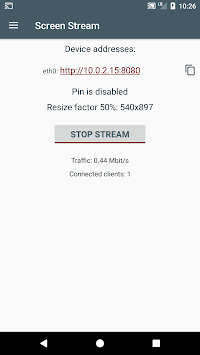
Screen Stream over HTTP is a handy tool that lets you project your mobile screen to other devices using a web browser. This feature is particularly useful for a variety of applications, from teaching and presentations to enjoying movies. With a simple setup and user-friendly interface, it makes streaming straightforward and hassle-free.
Ease of Use
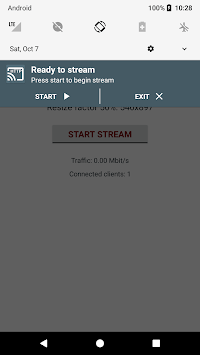
One of the most appealing aspects of Screen Stream over HTTP is how easy it is to use. All you need is your mobile device and a web browser on the receiving end. There's no need to fiddle with complicated settings or debug modes; it's just intuitive and ready to go out of the box. Even the initial setup takes only a few moments.
Versatility
Screen Stream over HTTP boasts a range of potential uses. Whether you’re looking to use it in an educational setting or just to watch a movie on a larger screen, this app offers a great deal of flexibility. It even supports use cases like streaming a game to your computer for an enhanced gaming experience.
Streaming Quality and Performance
The performance of Screen Stream over HTTP is impressive. With the ability to reduce video quality and resolution, users can achieve about 30 frames per second with less than 50 milliseconds of latency. This makes the streaming experience smooth and responsive, perfect for live presentations or quick on-the-go screen sharing.
Customizable Features
While Screen Stream over HTTP is incredibly easy to set up, it also offers some customizable options. The app allows users to compress video, making it suitable for various network conditions. Even when the bandwidth might chop the image and audio, the overall quality remains commendable.
User Interface Updates
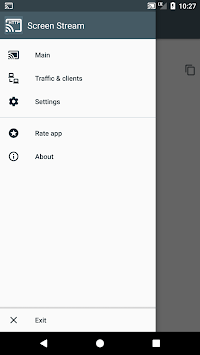
Recent updates to Screen Stream over HTTP have enhanced its user interface, including the addition of a dark theme. These changes contribute to a more pleasant user experience, making the app even easier and more enjoyable to use.
Device Compatibility
Screen Stream over HTTP works seamlessly with various devices. It can stream from Android to HTTP over WiFi, and it's compatible with browsers like Edge Chromium. For those with older TVs that don't support modern casting technologies, this app becomes a valuable alternative.
Additional Features
While Screen Stream over HTTP shines brightly, there are a couple of features that could make it even better. The option to view the stream in full screen in the browser, similar to YouTube, and to sync audio through the receiving screen are some user-desired enhancements. These additions could further improve the overall streaming experience.
Practical Applications
Overall, Screen Stream over HTTP proves useful in several practical applications. For educators, it streamlines the process of sharing content during lessons. Movie enthusiasts can enjoy their favorite films on a bigger screen. Gamers find it handy for a portable desktop-like experience.
Real-world Application
The real-world applications of Screen Stream over HTTP are vast. Whether you're trying to share a slideshow from your phone during a presentation or need a quick way to mirror your screen without the need for additional hardware, this app provides a simple and reliable solution.
Overall Impression
Screen Stream over HTTP stands out as a reliable and effective tool for streaming your mobile screen. Its ease of use, versatility, and performance make it an incredibly useful app for a variety of needs. Despite the occasional wish for additional features, it remains a powerful solution for anyone looking to share their mobile screen quickly and easily.