
Mimo: Learn to Code for PC
Learn Python, JavaScript, Java, HTML, CSS, Swift, Kotlin, C++, SQL, PHP, C#
- Rated
- Everyone
- Developer
- Mimohello GmbH
- Installs
- 22M+
- Google Play
- 4.5 (50.2K)
- Size
- 144.3 MB
What's new
| Version | 9.35 |
|---|---|
| Size | 144.3 MB |
| What's new | Introducing Widgets, designed to support consistency and help you build a lasting coding habit, one day at a time. Widgets help you stay consistent by making daily learning progress visible at a glance. Track your coding streak, choose between a small or large widget, see a daily illustration reflecting today’s streak status, and view a 7-day streak visualization in the large widget. Make daily progress part of your routine with widgets on your home screen! |
About Mimo: Learn to Code for PC
Mimo: Learn to Code
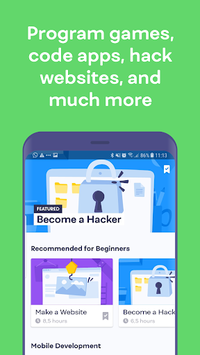
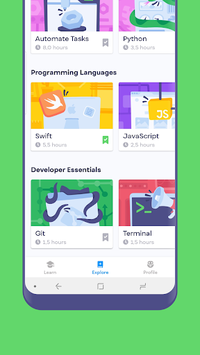
Looking to dive into the world of coding? Mimo: Learn to Code might be just what you need. This app is a fantastic tool for beginners and anyone eager to learn programming languages like HTML, CSS, JavaScript, and Python in a fun and engaging way.
Interactive Learning Made Simple
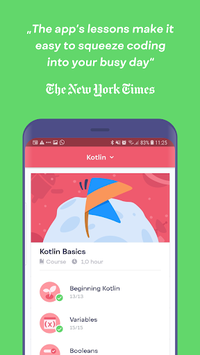
Mimo uses a teaching method that's easy to follow. The app offers structured lessons that are fluid and intuitive. You can learn at your own pace, whether it's slow or fast. Each module is designed with interactive, hands-on examples that help you understand not only what you're doing but also why you're doing it. This way, the knowledge sticks with you much better than just reading from a book.
Perfect for Beginners
If you've never coded before, Mimo is an excellent starting point. The app explains everything from the ground up. You'll find that the instructions are easy to follow and include plenty of repetition and reviews to ensure you're not getting lost. It’s like having a personal tutor in your pocket.
Engaging and Fun
Learners often find coding challenging, but Mimo makes it fun. The app has a Duolingo-like user interface, making the learning process similar to playing a game. You can practice and experiment with the sandbox feature, which is ideal for reinforcing what you've learned.
Build Real Websites
One of the most exciting aspects of Mimo is that you can start building real websites. The app helps you learn HTML, CSS, and JavaScript, which are the building blocks of web development. By the end of certain lessons, you’ll be able to create a basic website from scratch!
Flexible Learning
Mimo is designed to fit into your schedule. Each lesson is bite-sized, so you can complete one in just a few minutes if you're short on time, or you can sit through several lessons in one go. The flexibility is a big plus for anyone with a busy life.
User-Friendly Interface
Using Mimo on your mobile device is straightforward. The interface is clear and concise, making it easier to follow along. While coding on a mobile device can sometimes be a bit clunky, Mimo does a great job of making the experience as smooth as possible. If you prefer a larger screen, you can even use the Link to Windows feature to project the app onto your PC and use your mouse and keyboard.
Great Value
Whether you opt for the free version or decide to go for a paid subscription, Mimo offers great value. The free version is perfect for getting started, and the paid subscription offers even more extensive content, all without intrusive ads. Many users find the subscription well worth the price given the quality of the lessons and the ease of learning.
Stay Motivated
Mimo includes fun elements like leaderboards and streaks to keep you motivated. These features make learning feel less like a chore and more like a challenge you want to conquer.
Ready to start coding? With Mimo, you’ll find yourself not just learning to code but enjoying the process every step of the way.