
Linux Deploy for PC
Installing and running a GNU/Linux distribution on your Android device
- Rated
- Everyone
- Developer
- meefik
- Installs
- 1M
- Google Play
- 4.1 (13.3K)
- Size
- 17.1 MB
What's new
| Version | 2.6.0 |
|---|---|
| Size | 17.1 MB |
| What's new | Set target version of SDK to 28 for binary execution in Android QUI refactoring (@Iscle)Minimum Android API set to 21 |
About Linux Deploy for PC
Introduction to Linux Deploy
Have you ever thought about running a Linux distribution on your smartphone or tablet? Linux Deploy makes it possible. This handy tool allows users to run a complete Linux operating system on an Android device. Whether you're a developer, a hacker, or simply a Linux enthusiast, this app offers a unique way to carry your favorite Linux distro in your pocket.
Setting Up Linux Deploy
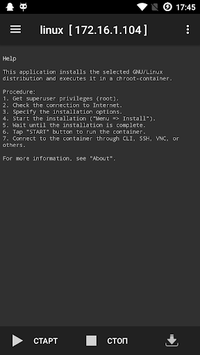
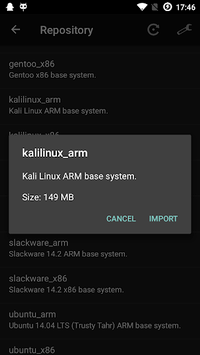
Setting up Linux Deploy is straightforward. After installing the app, you can select from a variety of Linux distributions like Debian, Ubuntu, Kali, or others. Once your preferred OS is chosen, Linux Deploy handles the rest, installing the distribution onto your device along with necessary software packages.
Running Linux on Your Device
With Linux Deploy, you can transform your Android device into a portable Linux machine. Imagine having access to tools like Ruby on Rails, Postgresql, and Jupyter Notebooks directly on your rooted Galaxy Tab S2. It runs fast and stable, making it ideal for developers who want to work on the go. You can even use your phone as a mini server, hosting services like samba, php, nginx, and nodejs.
Overcoming Challenges
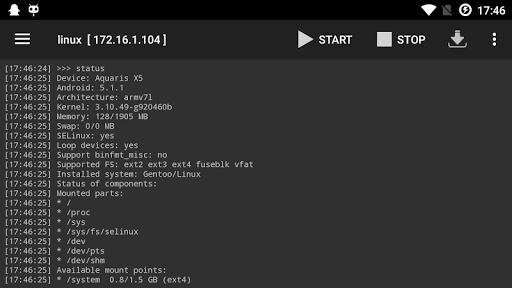
Sometimes, setting up Linux on your device can be a bit tricky. For instance, you might need to create soft links to make loop devices function properly. Debug mode in the settings can be very helpful for troubleshooting any issues. Also, pay attention during installation, particularly with default passwords, to avoid any unnecessary hurdles.
Advanced Features and Uses
For those who love experimenting, Linux Deploy offers a wealth of opportunities. Ethical hackers can install security-focused distributions like Kali Linux and BlackArch, and benefit from tools like DNS spoof and deauthentication. With Linux Deploy, seasoned users can harness the power of Linux on their Android devices, expanding their toolset and capabilities.
Audio and Other Limitations
While Linux Deploy excels in many areas, it's important to note some limitations. One notable issue is the absence of audio support. Although it works brilliantly for most Linux-based tasks, this lack might be a concern for users needing multimedia capabilities.
Unrooted Devices
One common request is the ability to use Linux Deploy without rooting the device. Some users have rooted their phones specifically to use this app, which can complicate updates and other processes. The hope is for future versions to offer a non-root installation method, making the app accessible to an even wider audience.
Why Choose Linux Deploy
If you're looking for a way to install and run Linux on your Android device, Linux Deploy stands out as an excellent choice. It is highly rated for its ease of use and rich feature set. Whether you're partitioning your SD card to run both Android and Linux seamlessly, or turning an old phone with a broken screen into a functional server, the possibilities are vast.
Linux Deploy is not just an application; it's a gateway to a full-fledged Linux system on your mobile device. Get started today and explore all the capabilities of running Linux wherever you go.