
GnaCAD for PC
GnaCAD is a free dwg/dxf drawings editor, with full 2D/3D models support.
- Rated
- Everyone
- Developer
- GnaCAD Developers
- Installs
- 100K
- Google Play
- 4.5 (4.2K)
- Size
- 27.7 MB
What's new
| Version | 2.11.55 |
|---|---|
| Size | 27.7 MB |
| What's new | - bug fixes and compatibility improvements.- fixed bugs with android 11 on samsung devices- optional disable animation of controls |
About GnaCAD for PC
GnaCAD: A Top Choice for Mobile CAD Design
GnaCAD offers an intuitive solution for engineers and architects on the go. This CAD (Computer-Aided Design) application stands out for its accessible design and robust features, making it an excellent tool for professionals and students alike. Available on Android, GnaCAD ensures you can carry the power of CAD software in your pocket.
User-Friendly Interface
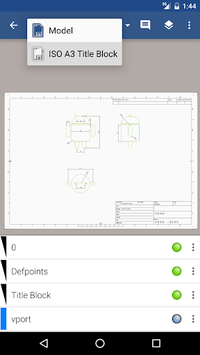
One of the most striking aspects of GnaCAD is its well-developed interface. Users will appreciate how simple it is to navigate through various functions. While it might take a bit of time to get familiar with all that it offers, its design is easy to learn for those who are used to other CAD programs. The app is highly functional on a range of devices including tablets, phones, and Chromebooks. It mirrors the experience of using popular desktop CAD software, for instance, AutoCAD.
Versatility and Powerful Features
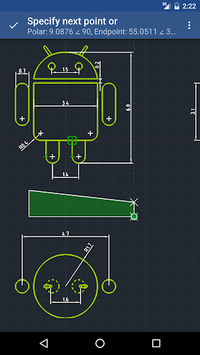
The versatility of GnaCAD is worth noting. You can carry out many of the tasks you would expect from a more robust PC software. GnaCAD allows users to view and edit designs effortlessly. It also supports a variety of file formats, including AutoCAD files, ensuring compatibility and convenience. Users have requested features like full-screen display options for better presentation of designs, showcasing the developers' attention to community feedback.
Free and Accessible
A significant advantage of GnaCAD is that it’s free, making high-quality CAD tools accessible to everyone. This is particularly beneficial for students and professionals alike who may not have the budget for expensive CAD software. The app does include ads, but the functionality it provides makes this a minor inconvenience.
Room for Improvement
Despite its many strengths, GnaCAD users have highlighted some areas for improvement. For instance, a built-in tutorial or guide could significantly enhance the initial user experience. Currently, new users can find help through external tutorials on platforms like YouTube, which is a useful but somewhat indirect solution.
Additionally, features like the ability to import dxf and dwg files are highly requested. Enhancements like these would undoubtedly upgrade the app's functionality and user satisfaction even further. Stability is another point to pay attention to. Occasional issues such as unsaved edits due to errors have been noted, and addressing these would improve trust and reliability.
Great for Learning and Professional Use
GnaCAD is proving to be an invaluable tool not only for seasoned professionals but also for those learning CAD. The fact that you can perform tasks traditionally reserved for desktop applications on a mobile device is a major leap forward. GnaCAD’s ability to read and edit AutoCAD files makes it a flexible companion for designers who need to work outside of the office.
Overall, GnaCAD continues to impress with its capability to meet the robust demands of various users while maintaining ease of use. The developers' commitment to updates and improvements promises a bright future for this potent mobile CAD application.