
DingTalk for PC
Free All-in-One mobile office solution
- Rated
- Everyone
- Developer
- Taobao
- Installs
- 6.8M+
- Google Play
- 3.8 (5.2K)
- Size
- 305.0 MB
What's new
| Version | 8.3.41 |
|---|---|
| Size | 305.0 MB |
| What's new | Minor bug fixes and improvements. Install or update to the newest version to check it out! |
About DingTalk for PC
Discovering DingTalk: A Revolutionary Communication Tool
DingTalk is a cutting-edge application designed to simplify and improve personal and business communication. It stands out due to its user-friendly interface and an impressive array of features that cater to both individual and professional needs. Whether you're attending online classes, managing office tasks, or coordinating with your team, DingTalk offers reliable solutions to keep you connected and productive.
Ease of Use and Accessibility
One of the most appreciated aspects of DingTalk is its simplicity and ease of use. The app is designed to be straightforward, allowing users to navigate effortlessly through its various functions. This is particularly beneficial for those new to such platforms, as it does not require a steep learning curve to start using effectively.
Translation Features
DingTalk excels in supporting users from different regions by providing translation features. Although current translations are limited to messages, there is hope for automatic translations of all features and functions. This could further enhance the app's accessibility, making it a truly global communication tool.
Comprehensive Tools for Personal and Business Use
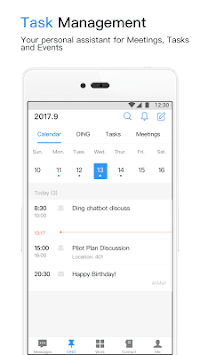
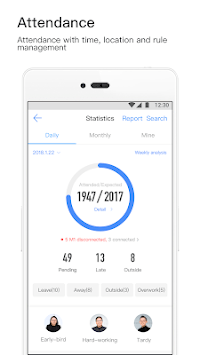
The versatility of DingTalk is evident in its comprehensive toolkit, which is beneficial for both personal and business uses. From attending virtual classes and submitting assignments to managing office tasks and taking attendance, DingTalk seamlessly integrates various functionalities. This makes it an all-in-one solution for our busy and multi-tasking lives.
Online Classes and Playback
For students and educators, DingTalk offers significant advantages. It facilitates smooth online classes and allows users to submit assignments easily. Additionally, the option to watch playback of sessions ensures that no vital information is missed, which is particularly useful for revisiting lectures and understanding complex topics.
Speed and Performance
Performance is a key highlight of DingTalk. Users have commended its fast-working capabilities, which help in completing tasks quickly and efficiently. This rapid response time is crucial for maintaining productivity, whether during online meetings, managing tasks, or sharing information.
Global Connectivity
DingTalk supports worldwide connectivity, allowing users to share their positions and information seamlessly. The integration of Google Maps further enhances this feature, making it easier to coordinate with team members or track locations irrespective of geographical boundaries.
Task Management and Team Collaboration
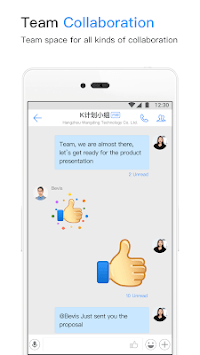
DingTalk shines in its ability to manage tasks and facilitate team collaboration. The platform is ideal for tracking attendance, coordinating office tasks, and ensuring efficient communication within teams. Its group chat feature is highly reliable, making it a daily tool for many professionals.
User Registration Support
The support team of DingTalk is responsive and helpful, ensuring that any issues with registration or other functions are promptly addressed. This level of customer service significantly enhances the overall user experience, giving confidence to both new and existing users.
Conclusion
DingTalk is more than just an app; it's a powerful tool for personal and professional communication and task management. With its wide array of features, user-friendly interface, and robust performance, it is proving to be a valuable asset for users around the globe. Whether you are a student, a professional, or someone looking for an effective way to manage your daily tasks, DingTalk offers a reliable and comprehensive solution.