Clear Scan: Free Document Scanner App,PDF Scanning for PC
Scan images into PDF Documents using mobile camera with high quality
- Rated
- Everyone
- Developer
- Indy Mobile App
- Installs
- 46M+
- Google Play
- 4.7 (70K)
- Size
- 75.5 MB
What's new
This release updates the app's Android target to API 36 for Google Play compliance, refreshes core libraries for enhanced device compatibility, and delivers performance and stability improvements throughout.
Version 10.2.18 · · 75.5 MBLatest
The update addresses Android 16 requirements by targeting API 36, ensuring broader device compatibility. Core libraries have been refreshed to optimize runtime behavior. General UI refinements and stability fixes reduce crashes during scanning and PDF conversion, while performance enhancements deliver faster processing of documents and image-to-PDF operations.
Version 10.1.92 · · 103.0 MB
- Library updates, minor UI improvements, and fixes for issues found in previous versions.
Also from 10.1.70:
- New optional Custom Watermark feature: add your own text or image watermarks to PDFs before sharing.
About Clear Scan: Free Document Scanner App,PDF Scanning for PC
Clear Scan: Free Document Scanner App, PDF Scanning
If you’re looking for a fantastic, easy-to-use document scanning app, look no further than Clear Scan: Free Document Scanner App, PDF Scanning. This app is a game-changer when it comes to digitizing your documents, whether you're at home, in the office, or on the move. Here’s why Clear Scan stands out from the crowd.
Effortless and Accurate Scanning
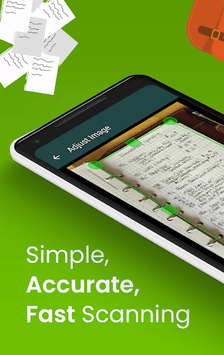
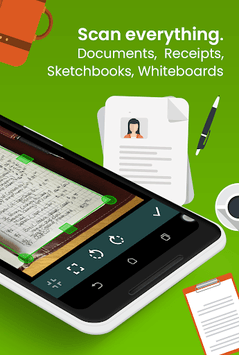
Clear Scan excels in making the scanning process as straightforward as possible. Simply point your camera, take a photo of your document, and let the app do the rest. It automatically detects the edges of the paper, ensuring that your scans are precise and clear without fuss. The app even provides a cropping frame to ensure that the documents are trimmed perfectly.
High-Quality Output
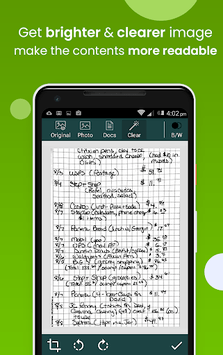
One of the most impressive features of Clear Scan is the clarity of its scanned documents. Unlike other scanner apps that might require specific lighting conditions, Clear Scan delivers high-quality results indoors and out. This makes it especially handy for users who need reliable scanning in less-than-ideal lighting environments.
Handy Editing Tools
Clear Scan comes with a suite of editing tools that make managing your scanned documents a breeze. You can adjust the edges manually if needed, crop out any unwanted background, and enhance the overall quality of your scans. There's even a magnifying feature for precise adjustments, which adds to the convenience.
Seamless File Sharing
Sharing files with Clear Scan is incredibly easy. You can save your scanned documents as PDF or JPEG files and share them via email, social media, or cloud services like Google Drive. This versatility makes it perfect for anyone who needs to send documents quickly and efficiently.
Minimal Ad Interruptions
No one likes intrusive ads, and Clear Scan understands this. While the free version includes ads, they are minimal and do not interfere with the app's functionality. Plus, there’s an option to upgrade to an ad-free experience if you prefer.
Organization is a Breeze
Clear Scan makes it simple to organize your documents. You can save your scans directly to your phone's gallery or cloud storage, keeping your important files secure and easy to access. You also have the option to create folders for better organization, ensuring that you can always find what you're looking for.
Versatility and Flexibility
Clear Scan isn't just limited to scanning single-page documents. You can also scan multi-page documents and save them as a single PDF file. This is particularly useful for tasks like scanning entire brochures, lengthy articles, or even tax documents.
An Intelligent Investment
For those who need a reliable and feature-rich document scanning app, Clear Scan is an excellent choice. Even though the free version is packed with features, many users find value in upgrading to the Pro version to support the app's developers and enjoy a seamless scanning experience without ads.
Easy to Use
One of the best things about Clear Scan is how user-friendly it is. The app’s design is intuitive, making it accessible for all ages and tech skill levels. Whether you're a young student needing to scan homework or a professional managing important business documents, Clear Scan is your go-to solution.
Exclusive Features
Additional features include Optical Character Recognition (OCR), which allows you to extract text from images. This feature is highly useful for converting physical text into editable formats, making your workflow more efficient. While some users might wish for a straightforward how-to guide, the app’s design makes it easy to navigate and explore its features.
Clear Scan offers a reliable, easy-to-use, and feature-packed solution for all your document scanning needs. With minimal ads, high-quality scans, and intuitive design, Clear Scan is an essential tool for anyone needing to digitize documents efficiently.