
ADV Screen Recorder for PC
The most complete screen recorder on the market for free, no root required!
- Rated
- Teen
- Developer
- ByteRev
- Installs
- 25M+
- Google Play
- 4.4 (90.2K)
- Size
- 11.7 MB
What's new
| Version | 4.20.8 |
|---|---|
| Size | 11.7 MB |
| What's new | Fix bugsAdjust App layout to support Android 15 Edge to EdgeRedo the Floating Button to improve user experience and fix bugsRedo Floating Camera ViewRedo Settings ScreenAdd Option to Start/Exit Recording Service from Notification Tray |
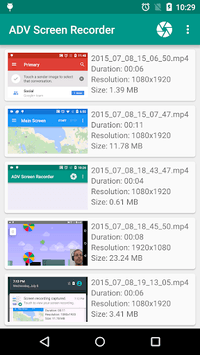
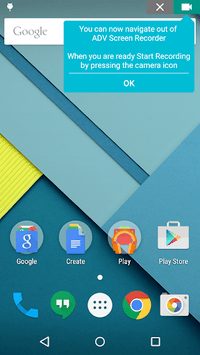
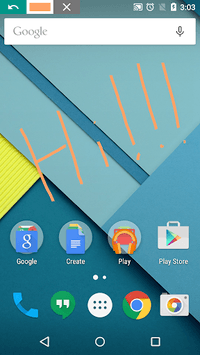
About ADV Screen Recorder for PC
ADV Screen Recorder: An Incredible Tool for Capturing Your Screen
If you need to record your screen, look no further than ADV Screen Recorder. This handy tool offers a wide variety of features that make it easy and fun to capture what’s happening on your device. Whether you're flying a drone, playing games, or creating content for YouTube, ADV Screen Recorder has you covered.
Rich Feature Set
One of the standout features of ADV Screen Recorder is its wide array of options for customization. You can add text overlays, watermarks, and even a face cam using either the front or rear camera. This gives you great control over how your recordings look and feel. Adjusting the size and opacity of these additions is straightforward, making the interface incredibly user-friendly.
High Quality and Smooth Performance
For those who value high-quality recordings, ADV Screen Recorder offers the ability to select various resolutions and frame rates, including the highly sought-after 120 fps. This makes it an excellent choice for gamers who want to produce smooth, high-quality videos without sacrificing performance.
No Ads with Play Pass
Another huge plus is the absence of ads when using Play Pass. This means you get an uninterrupted recording experience, allowing you to focus solely on creating great content.
Internal Audio Recording
One major feature that sets ADV Screen Recorder apart is its ability to record internal audio. This is particularly useful for gamers and YouTubers who need to capture the sound from their apps or games. Settings can be adjusted to ensure that the internal audio is captured clearly and without interference.
User-Friendly Interface
Simplicity is another big advantage of ADV Screen Recorder. The interface is designed to be easy to navigate, even for beginners. This means you won't get lost in complex menus or settings, making the app accessible for users of all experience levels.
Highly Recommended for Content Creators
If you're just starting out with a YouTube gaming channel, ADV Screen Recorder is a fantastic choice. Its ease of use and powerful features make it incredibly versatile for different types of content. You can even use the Face Cam feature to add a personal touch to your videos.
Customizable Overlays
Customizable overlays add an extra layer of functionality. Whether you want to import your own watermark or add text to your recordings, ADV Screen Recorder lets you do it all. This kind of personalization can help make your videos unique and professional.
Room for Improvement
While ADV Screen Recorder is packed with features, there are still some areas where it could improve. For instance, the visibility of the recording icon can be an issue for some users. A toggle option to hide or show this icon would make the app even better. Additionally, the app could benefit from a feature to live stream directly to platforms like YouTube and Twitch.
Perfect for Drone Enthusiasts
ADV Screen Recorder also excels for drone enthusiasts. You can switch between your camera and map view while recording, and capture both the controller's audio and your voice. This makes it a great tool for creating informative drone videos.
Excellent Bug-Free Experience
When it comes to stability, ADV Screen Recorder shines. The app functions smoothly without common issues like lag or glitches, making it reliable for all your screen recording needs.
If you're in search of a screen recorder that offers a combination of high-quality, extensive features, and ease of use, ADV Screen Recorder stands as an excellent choice. Its robust set of features makes it suitable for a wide range of uses, from gaming to drone flights, all while ensuring top-notch quality and performance.